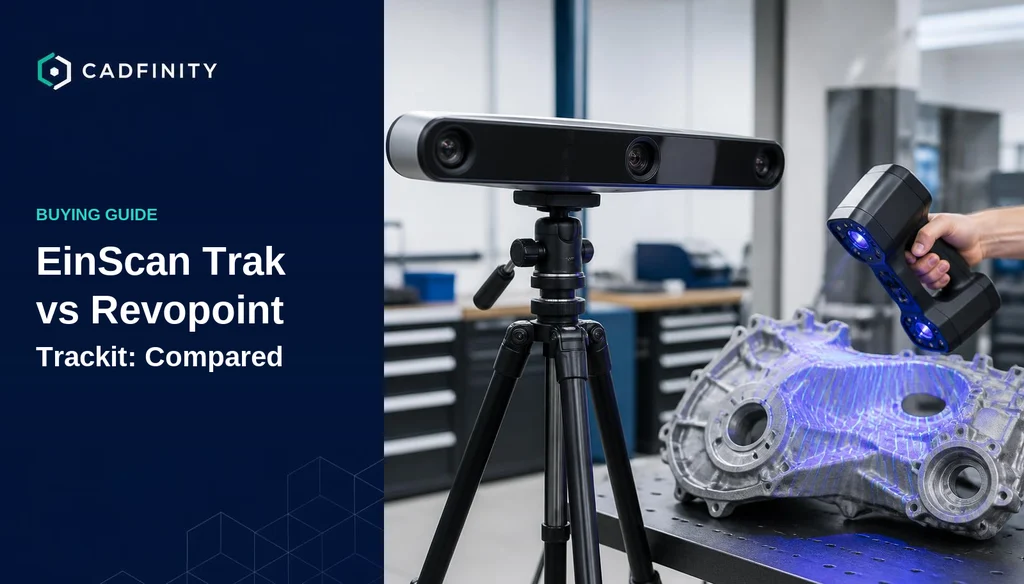
For years, marker-free optical tracking was the line between a workshop scanner and a metrology department: a tracker-based system meant $60,000 and up. In 2025 two products moved that line hard. SHINING 3D launched the EinScan Trak at $6,999 and Revopoint launched the Trackit at $4,980. Both use a base station that watches the scanner instead of markers stuck on your part. This is the comparison we give clients who ask whether either one is a serious reverse-engineering tool or a clever demo.
§ What optical tracking actually changes
A conventional handheld laser scanner aligns each frame to the previous one using geometry, texture, or stick-on reference markers. On a large, smooth or symmetric part — a body panel, a tank, a machined plate — geometry alignment drifts and you end up covering the part in markers, then removing them and patching the holes in the mesh.
An optical tracker inverts that. A stereo camera bar sits on a tripod and tracks the position of the scanner itself in real time, so every frame is placed in one global coordinate system. Nothing is stuck to the part, drift over a long scan is bounded by the tracker rather than by frame-to-frame error, and volumetric accuracy is quoted for the whole working volume instead of a single patch.
§ Specs side by side
| EinScan Trak (SHINING 3D) | Revopoint Trackit | |
|---|---|---|
| Price (list) | $6,999 USD | $4,980 USD |
| Laser pattern | 19+19 crossed lines / 7 parallel / single line | 30 blue cross lines / single line |
| Volumetric accuracy (claimed) | Up to 0.1 mm, referenced to ISO 10360-13 and VDI/VDE 2634 part 3 | 0.02 mm + 0.04 mm × L(m); scanner accuracy up to 0.02 mm |
| Resolution | 0.05 – 10 mm | Down to fine-detail single-line mode |
| Scan speed | 2,630,000 points/s | Dual-mode: fast area capture and deep-hole single line |
| Tracking working distance | 800 – 4,000 mm | Small parts from 10 mm up to roughly 6 m objects |
| Tracking volume | 15 m³ | Extendable by base-station repositioning |
| Max FOV (tracking) | 4,796 × 4,174 mm @ 4,000 mm | Large-area, vendor-quoted by scan volume |
| Handheld standalone mode | Yes — detaches to a 0.48 kg handheld scanner | Yes — switches to standalone handheld for hidden areas |
| Wireless / battery | Yes, 5.5 h tracking mode, 3.5 h handheld | Tethered base station and scanner |
| Output | STL, OBJ, PLY, 3MF, ASC | STL, OBJ, PLY and common mesh formats |
§ Workflow differences that show up on day one
- Wireless vs tethered: the EinScan Trak runs on batteries with no cable between the tracker and the scanner, which is the single biggest practical difference on a shop floor or a site visit. The Trackit setup involves cabling you have to manage.
- Detachable handheld: both convert to a standalone handheld for pockets, bores and undercuts the base station cannot see. On the Trak the handheld body is 0.48 kg, which matters over a two-hour session.
- Calibration: both automate it, and both take time. Owners consistently report the calibration routine as the slowest part of a first session.
- Dark and shiny surfaces: blue laser multi-line on both sides means most matte-black plastics and machined aluminium scan without spray. Chrome, glass and mirror finishes still need a developer coat on either machine.
- Software: Revopoint's Revo Metro / Revo Design ecosystem is young and improving fast. SHINING 3D's EXStar and the Geomagic pipeline are more mature and better trodden if your output has to end up as parametric CAD.
§ What owners and the community actually report
Both scanners are new enough that long-term field data is thin, so we lean on owner forums, r/3Dscanning discussion and hands-on reviews rather than marketing pages. A few themes come up again and again.
- Tracker stability is the number one rookie problem. An owner posting first Trackit tests warned that cable movement transmitted wobble into the tracker through the dual-axis gimbal, and recommended strapping cables low on the tripod and using a sturdy ball head instead of the gimbal for scanning. If your first scans look noisy, suspect the tripod before the scanner.
- Markerless scanning genuinely delivers. Reviewers who came from marker-based workflows describe not wanting to go back — the time saved on marker placement, removal and mesh patching is the headline benefit, not raw accuracy.
- Calibration is long and setup is bulky. The most common complaints on both platforms are the size of the kit and the length of the calibration routine, not the scan quality.
- Real accuracy is respectable but scan-dependent. Owners comparing Trackit scans against CAD on printed parts report results in line with the claimed volumetric spec for careful scans, and noticeably worse when the tracker is unstable or the scan distance drifts outside the sweet spot.
- Expectations management is the recurring community advice: these are professional tools at a prosumer price, not certified metrology instruments. If you need a signed inspection report, buy a system that ships with a certification.
One of the main initial problems for me was wobble of the tracker induced by moving cables and amplified by the dual axis gimbal. Fix the cables as low as possible to the tripod, only mount the gimbal for calibration, instead use a sturdy ball head for the tracker.
§ Which one should you buy?
| If you... | Pick | Why |
|---|---|---|
| Scan on customer sites and move constantly | EinScan Trak | Wireless tracker and scanner, battery operation, lighter handheld |
| Work mostly at one bench and want the lowest entry price | Revopoint Trackit | $2,000 cheaper for the same core capability |
| Need output that flows into SOLIDWORKS or Geomagic Design X | EinScan Trak | More mature ecosystem and a well-worn scan-to-CAD path |
| Scan large but not enormous parts (up to ~2 m) | Either | Both cover this band comfortably; decide on budget and mobility |
| Need a certified inspection report | Neither | Step up to a certified metrology system such as FreeScan or a photogrammetry-assisted setup |
| Scan tiny, high-detail parts only | Neither | A desktop or short-range professional scanner will beat both on point spacing per dollar |
§ The costs that are not on the price tag
- A serious tripod and ball head. Both systems are only as stable as what they sit on, and the bundled hardware is the first thing owners replace.
- A capable laptop. The Trak lists an RTX 3060 laptop GPU and 32 GB DDR5 as a minimum, RTX 4060 and 64 GB recommended. Budget for the machine, not just the scanner.
- Scan-to-CAD software. Mesh out of the box is not a model. Geomagic Design X, Revo Design Pro or an equivalent is the real second line item.
- Training time. Expect two to three weeks before your scans are consistently good enough to build reliable CAD from.
§ Frequently asked
- Is the Trackit really more accurate than the Trak? On paper at short range, yes. In practice the specs are quoted differently and both land in the same working band for parts under 2 m. Do not choose on the headline number alone.
- Can either replace a CMM? No. They replace hours of marker work and give you full-surface data a CMM cannot. For certified dimensional reports you still need a certified instrument.
- Do I still need markers? Not on the part. Both can also use global markers when you need to extend or lock a very large volume.
- Can they scan black or shiny parts? Blue multi-line laser handles most dark matte and machined surfaces without spray. Mirror-finish and transparent parts still need a coating.
- Which is better for reverse engineering? The scanner matters less than the CAD process behind it. Either will feed a clean parametric rebuild if the operator knows what tolerances the part actually needs.
Was this helpful?
Take it further
Have a part like this? Or want to learn the workflow yourself?